01 / Steer
Turn the phone. Turn the wheel.
The gyroscope reads every degree and smooths it before it reaches your PC. Tune range, center sensitivity and curve.
iPhone → Windows · Local network
Hold it sideways to steer, use your thumbs for throttle and brake. On the same Wi‑Fi, your PC sees a real game controller.
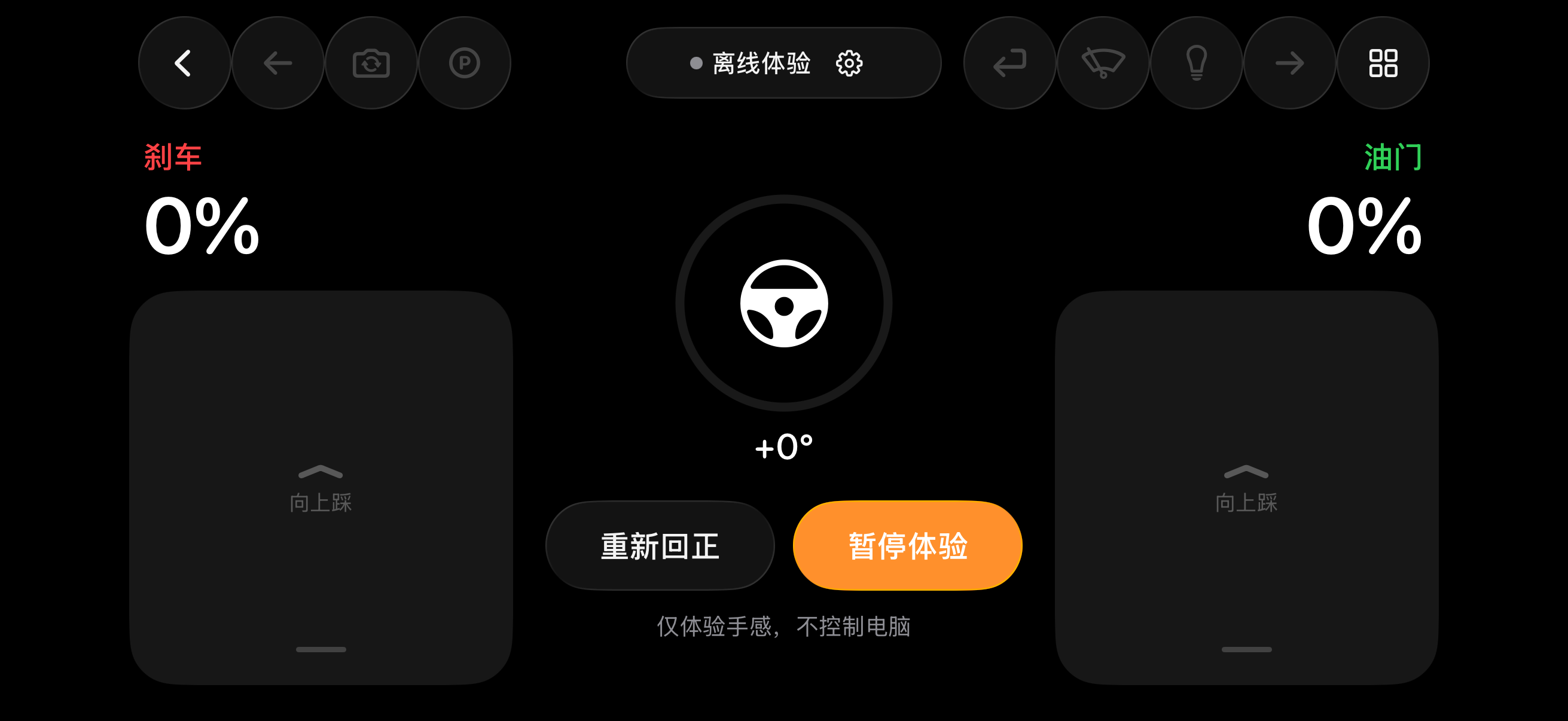
01 / Steer
The gyroscope reads every degree and smooths it before it reaches your PC. Tune range, center sensitivity and curve.
02 / Pedals
Throttle and brake are separate axes you can press together. Travel is measured in centimeters, exactly as drawn.
03 / Tune
In Live Tuning, press and see how far your thumb moved and what the game receives. Drag the start, limit and curve shape.
04 / Pair
No IP addresses. After pairing, every packet is encrypted with AES‑256‑GCM and keys never leave your devices.
Presets
Each preset covers steering, throttle and brake. When your PC recognizes the game, your phone switches to match.
ETS2 · ATS
Gentle, smooth steering for the long haul.
WRC · DiRT
More lock, quicker response on loose gravel.
Assetto Corsa
Linear steering, progressive brake, every apex.
Forza Horizon · New
Hold for full. Driving in three seconds.
Windows
Privacy & Safety
Every packet is encrypted and authenticated with AES‑256‑GCM. Nothing else can pose as your phone.
Stored in the iPhone Keychain and Windows DPAPI. Never uploaded or synced.
No accounts, no analytics, no ads.
Pause, background, lose the sensor or the link, and all axes go to zero.
Tested on real hardware with
Most PC games that support a gamepad or custom joystick axes work too.
Requires an iPhone with iOS 17 or later and a 64-bit Windows 10 or 11 PC. The app is currently in Simplified Chinese.